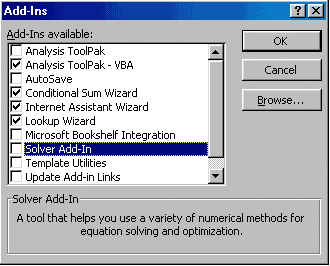
If Solver is not listed on the Tools menu, click Add-Ins on the Tools menu.
If Solver is not listed in the Add-Ins dialog box, run setup again and make sure you select the option to install Solver. You can also Download and install the two Excel Solver Files. It is suggested that you place them in the C:\Program Files\Microsoft Office\Office\Library\Solver directory. You'll need to create the directory. The files are available at solver.xla and solver32.dll. After you have downloaded them, go back to the Tool/add-in area shown and select browse. Move to the area that you just placed the files and Solver.
In the Add-Ins dialog box, select the Solver Add-in check box, and then click OK.
If you get a message asking wether you want to install the feature, click Yes.